# Browser Extension Options
### Badge Counter
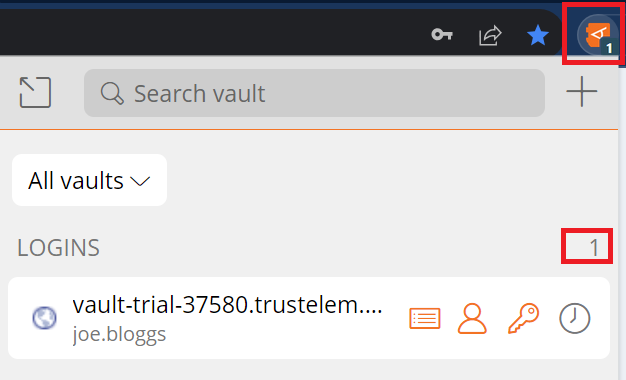
The **Tab Screen** of the Browser Extension **automatically detects** the **URI** of the **currently displayed page**.
It finds any **Vault Items** that have the **same URI**.
It displays the **number of items found** for that page on the **Badge Counter** **icon**.
[](https://vault-doc.wallix.com/uploads/images/gallery/2023-12/browser-extension-home-copie.png)
It is **turned on** by **default**.
It can be turned off by unchecking the **Show Badge Counter checkbox** in **Settings** > **Options**.
### TOTP Copy after Auto-fill
If the Login uses **WALLIX Authenticator** for TOTPs, the shortcut also **copies** the **TOTP** to the clipboard after auto-filling the web page with any of the above methods.
### Auto-fill for iframes
**Auto-fill** does **not work** for untrusted iframes.
An untrusted iframe is **defined** as one where the **src** value is **not** the **same** as the **URI** for the **Login** item, as required in the rules set for **Match Detection Behavior**.
When the browser extension detects an iframe it responds based on the type of auto-fill being used:
- **Auto-fill on Page Load:** the browser extension disables the auto-fill on page load and does not warn the user
- **Auto-fill using Context menu, Keyboard Shortcut or from Browser Extension:** the browser extension warns the user about the iframe.