# Card Items
You can use a **Card Item** to store information about a **credit or other payment card**.
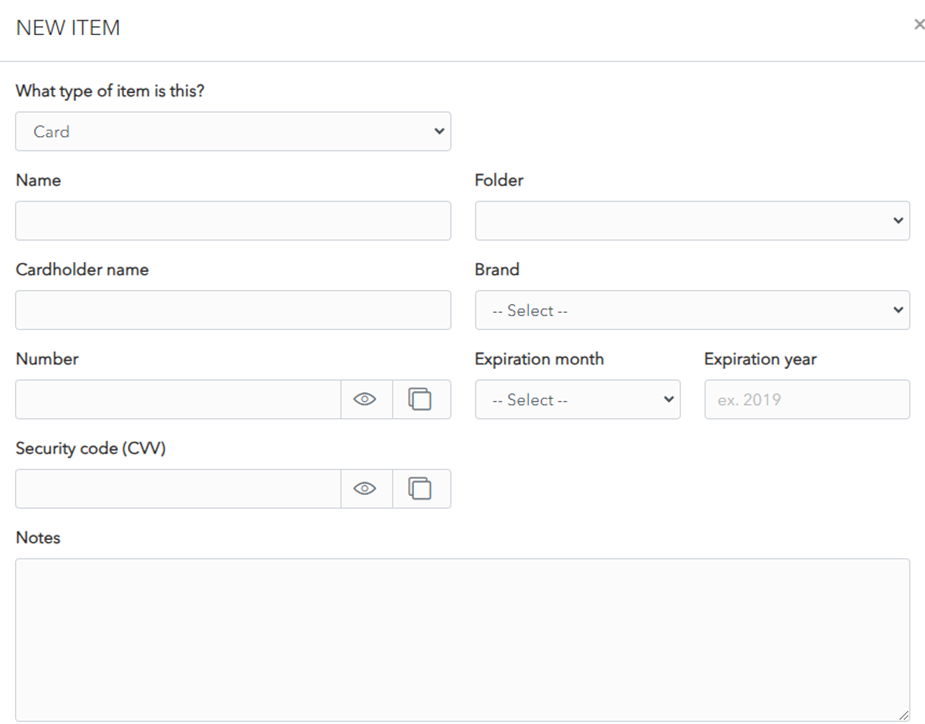

The following fields are available. Only the name field is mandatory.
- **Type:** Card, for Card Item.
- **Name:** Choose a name that easily identifies the item.
- **Folder:** Dropdown allows you to choose the folder you want to add the login to.
- **Cardholder Name:** Name, as written on the card.
- **Brand:** Dropdown menu allows you to choose the card brand, as written on the card. If your card brand is not in the list, choose *Other*.
- **Number:** Card number, as written on the card. This field can be hidden or displayed using the Display/Hide toggle button. The copy button allows you to copy to the clipboard.
- **Expiration month:** Dropdown allows you to choose expiration month, as written on the card.
- **Expiration year:** Enter expiration year, as written on the card.
- **Security code (CVV):** Enter 3 digit security code, as written on the back of the card.
- **Notes:** You can add notes about this card.
- **Custom Fields:** You can add one or more custom fields. Learn more about [Custom Fields](https://vault-doc.wallix.com/link/15).
- **Master Password re-prompt checkbox:** Check this to be prompted to enter your Master Password to access this login.
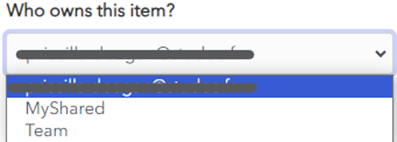
- **Ownership dropdown:** Choose which Vault owns this item. By default it is owned by your Vault unless you choose otherwise.
[](https://vault-doc.wallix.com/uploads/images/gallery/2023-11/embedded-image-drkze3or.png)
Click the [](https://vault-doc.wallix.com/uploads/images/gallery/2023-11/embedded-image-h9cmcpqr.png) favourites button to **add** this **item** to your **favourites**.