# Install Browser Extension
WALLIX Enterprise Vault uses browser extensions for **Chrome** and **Firefox**. These must be installed before using WALLIX Enterprise Vault.
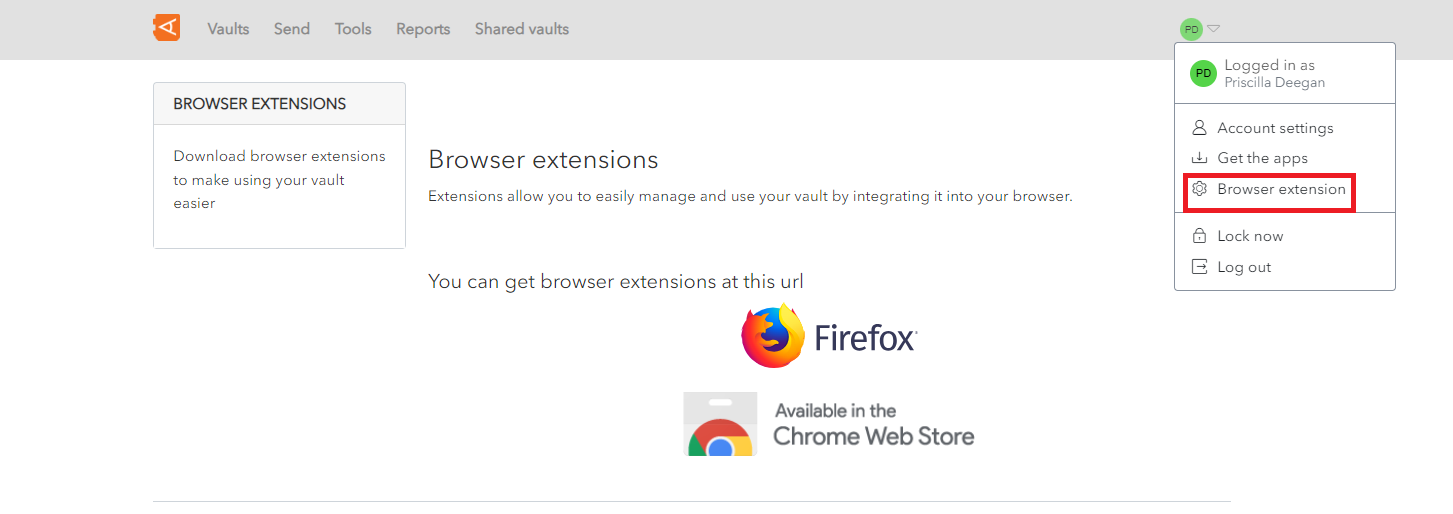
Click on the **Browser Extension** link from the **User Menu**.
[](https://vault-doc.wallix.com/uploads/images/gallery/2023-11/browser-extension-setup-0.png)
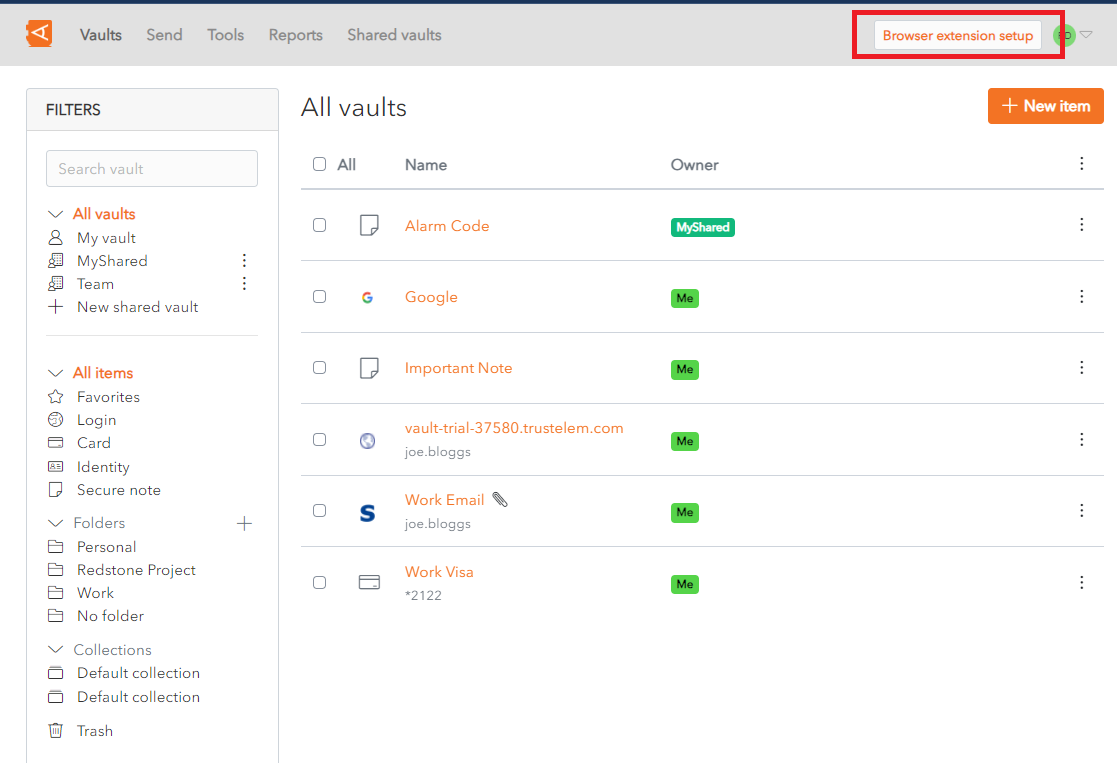
Alternatively, click on the **Browser extension setup** link on the top right-hand side of your web browser.
[](https://vault-doc.wallix.com/uploads/images/gallery/2023-11/browser-extension-setup-1.png)
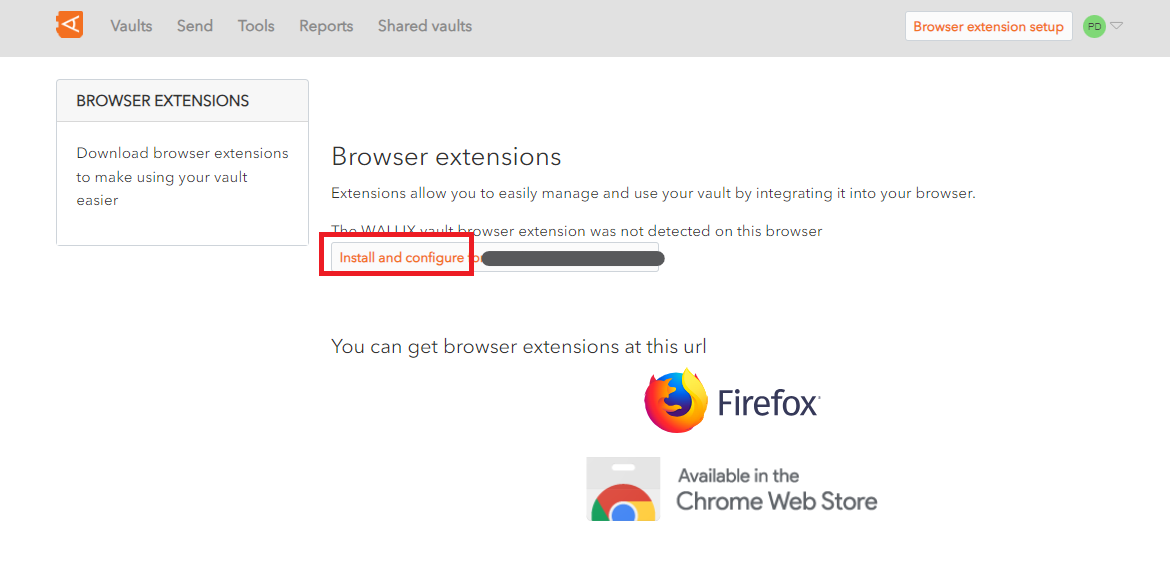
This will display the Browser Extension Configuration Screen.
Click on the **Install and configure** button to install the WALLIX Enterprise Vault Extension for the browser you use to access your WALLIX-Vault.
[](https://vault-doc.wallix.com/uploads/images/gallery/2023-11/browser-extension-setup-2.png)
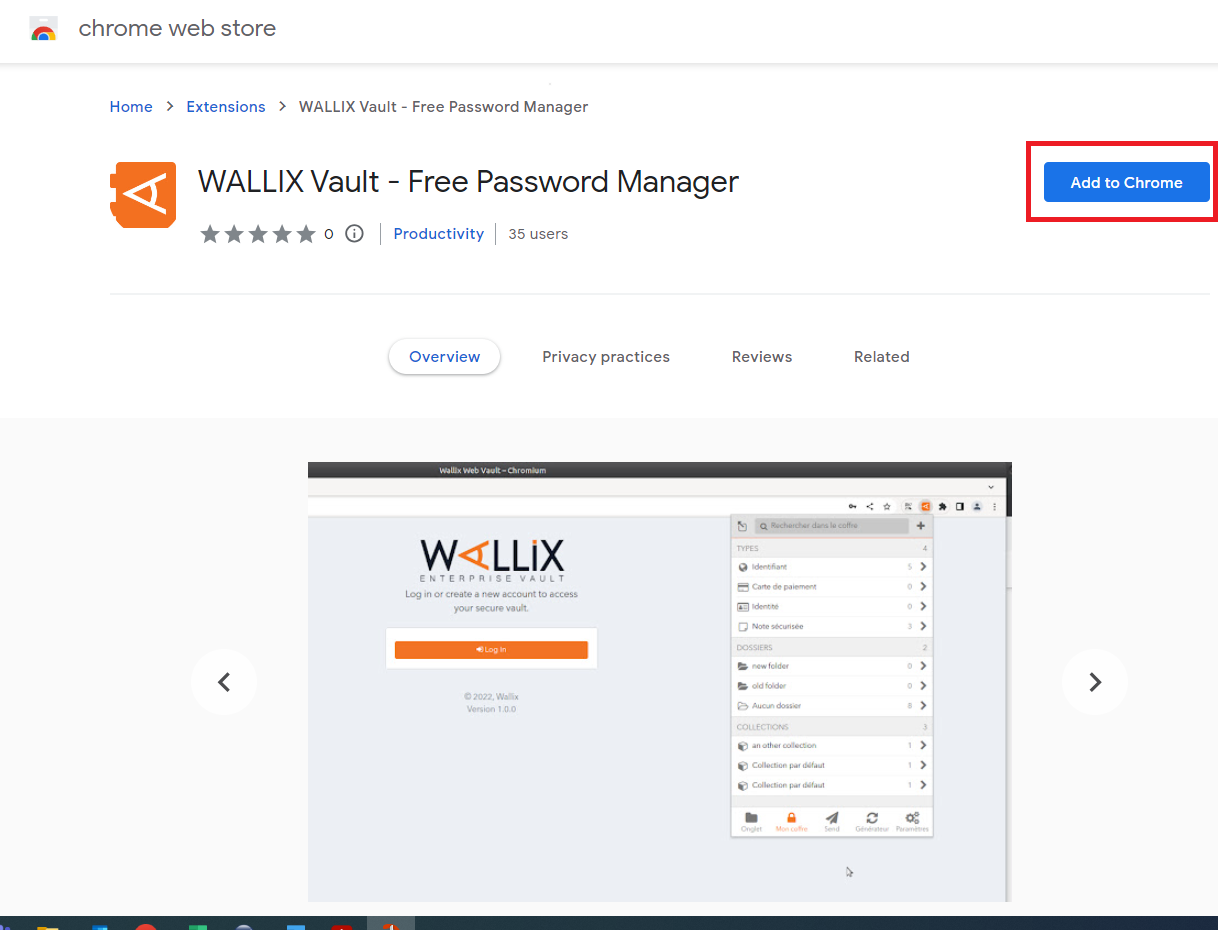
Click the **Add to Chrome** button to install the browser extension (this process is similar for Firefox).
[](https://vault-doc.wallix.com/uploads/images/gallery/2023-11/gOFbrowser-extension-setup-3.png)
You can now use the browser extension.