# Logout from Vault
You can logout of WALLIX Enterprise Vault from the Vault Screen or the Lock Screen.
## Logout from Vault Home Screen
You can log out of WALLIX Enterprise Vault from your WALLIX Enterprise Vault screen.
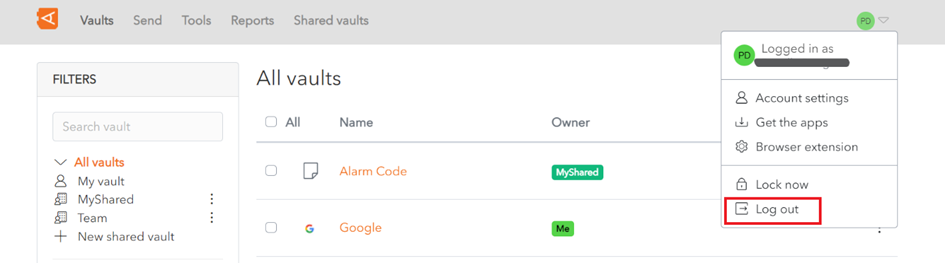
Click on the **Log out** button to log you out of WALLIX Enterprise Vault.
**Note** : This will log you out of the **2nd level of authentification only**.
You will be returned to the Wallix Enterprise Vault Login Screen.
## Logout from Unlock Screen
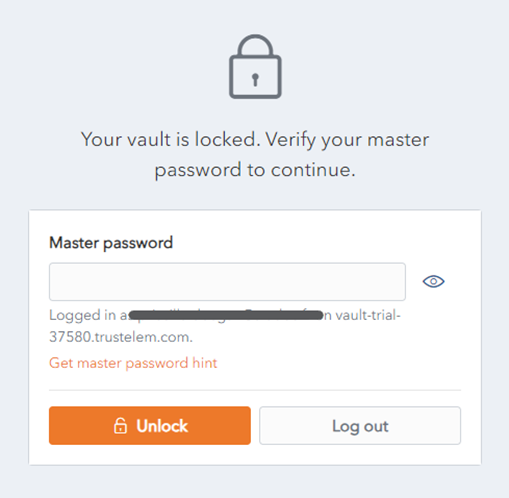
You can log out of WALLIX Enterprise Vault from the Unlock screen.
Click on the **Log out** button to log you out of WALLIX Enterprise Vault.
**Note **: This will log you out of the **2nd level of authentification only.**
You will be presented with a **confirmation** pop up screen.
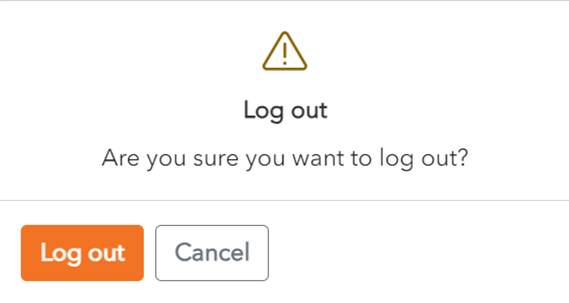
Click **Log out** to confirm log out.
You will be returned to the Wallix Enterprise Vault Login screen.