# Other Send Options

When **creating a** **Send**, there are a number of **options** that are **hidden** by **default.** Click the **Options** Link to **unhide** the Send Options:

### Copy Send Link to Clipboard

**Check** the checkbox **Copy the link to share this Send to my clipboard upon save**.

This field is **optional**.

[![image.png](https://vault-doc.wallix.com/uploads/images/gallery/2023-11/scaled-1680-/oHgimage.png)](https://vault-doc.wallix.com/uploads/images/gallery/2023-11/oHgimage.png)

<p class="callout info">If you check this box, the link will be copied to your clipboard to facilitate providing it to person you wish to **Grant Access** to the Send.</p>

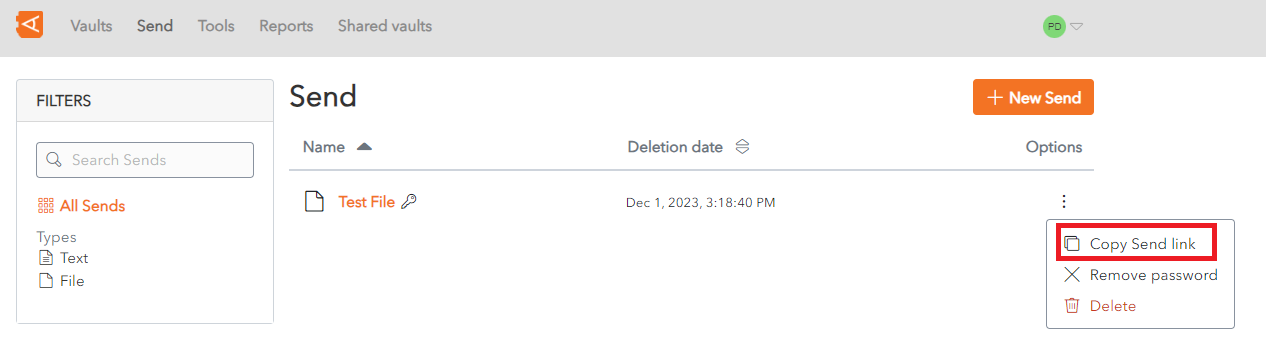
The **Copy Send Link** can also be used to Copy the Send Link **to** the **clipboard**.

[![context menu - Copie (2).png](https://vault-doc.wallix.com/uploads/images/gallery/2023-11/scaled-1680-/context-menu-copie-2.png)](https://vault-doc.wallix.com/uploads/images/gallery/2023-11/context-menu-copie-2.png)
### Add Private Notes

From the Send Screen, click on the Options Link.

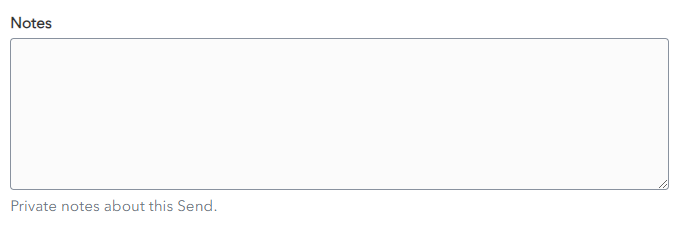
In the **Notes** field, enter any **privates notes** you wish to make about the send.

[![private notes send.png](https://vault-doc.wallix.com/uploads/images/gallery/2023-11/scaled-1680-/private-notes-send.png)](https://vault-doc.wallix.com/uploads/images/gallery/2023-11/private-notes-send.png)
<p class="callout info">These notes are not sent with the Send.</p>