# Secure Note Items
You can use a **Secure Note Item** to store private information that doesn’t fit into one of the other categories.
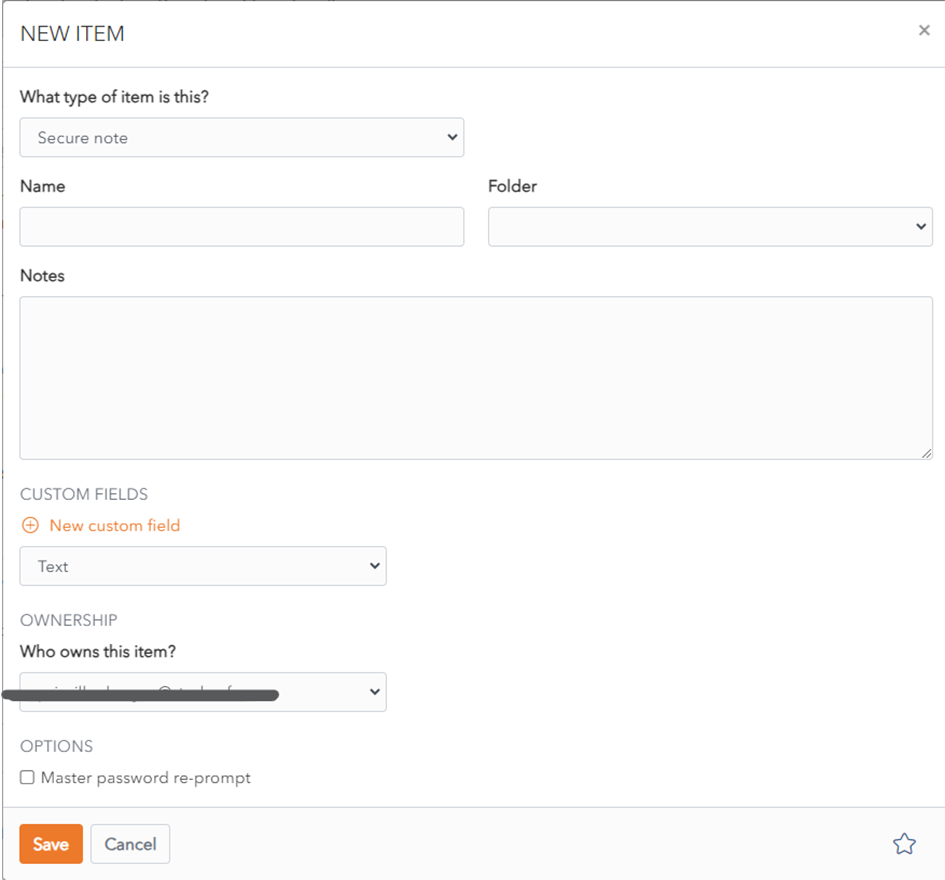
The following fields are available. Only the name field is mandatory.
- **Type:** Identity, for Identity Item.
- **Name:** Choose a name that easily identifies the item.
- **Folder:** This dropdown allows you to choose the folder you want to add the login to.
- **Notes:** You can add secure notes in this field.
- **Custom Fields:** You can add one or more custom fields. Learn more about [Custom Fields](https://vault-doc.wallix.com/link/15).
- **Master Password re-prompt:** Check this box to be prompted to enter your Master Password to access this login.
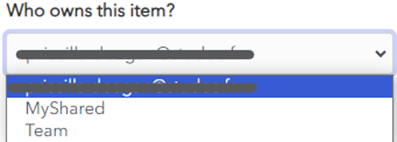
- **Ownership:** Choose which Vault owns this item from the dropdown menu. By default it is owned by your Vault unless you choose otherwise.
[](https://vault-doc.wallix.com/uploads/images/gallery/2023-11/embedded-image-drkze3or.png)
Click the [](https://vault-doc.wallix.com/uploads/images/gallery/2023-11/embedded-image-h9cmcpqr.png) favourites button to **add** this item **to** your **favourites**.