Sharing the recovery key with another administrator
DraftUsers with recovery rights (recovery_account or recovery_data) must have access to the recovery key to perform the cryptographic operations required for recovery. Until they have access to it, they cannot access the account recovery or data recovery pages.
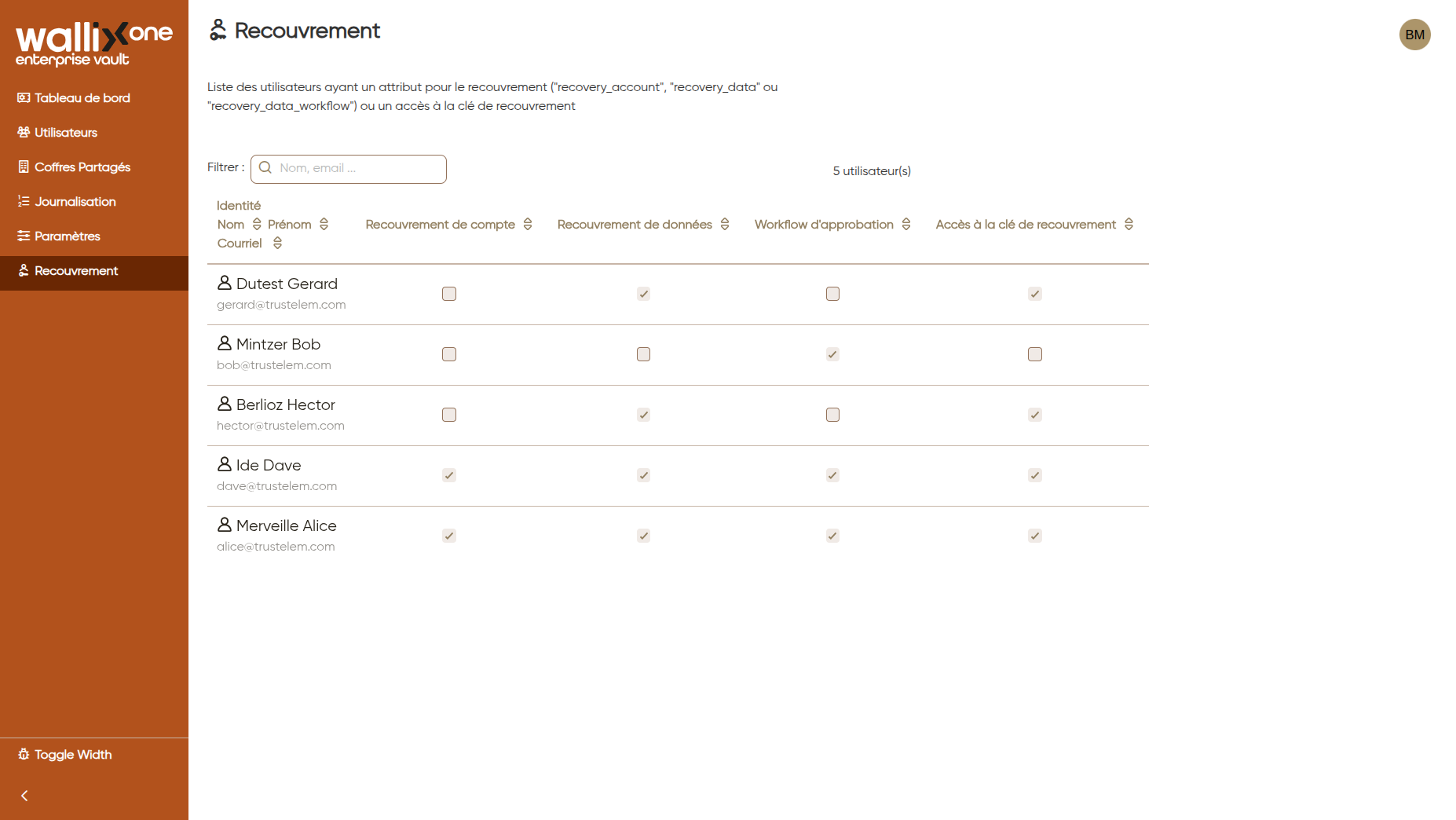
Check which users have access to the recovery key
The Recovery page of the administration application lists the users who have recovery rights and shows which of them have access to the recovery key.
Share the recovery key
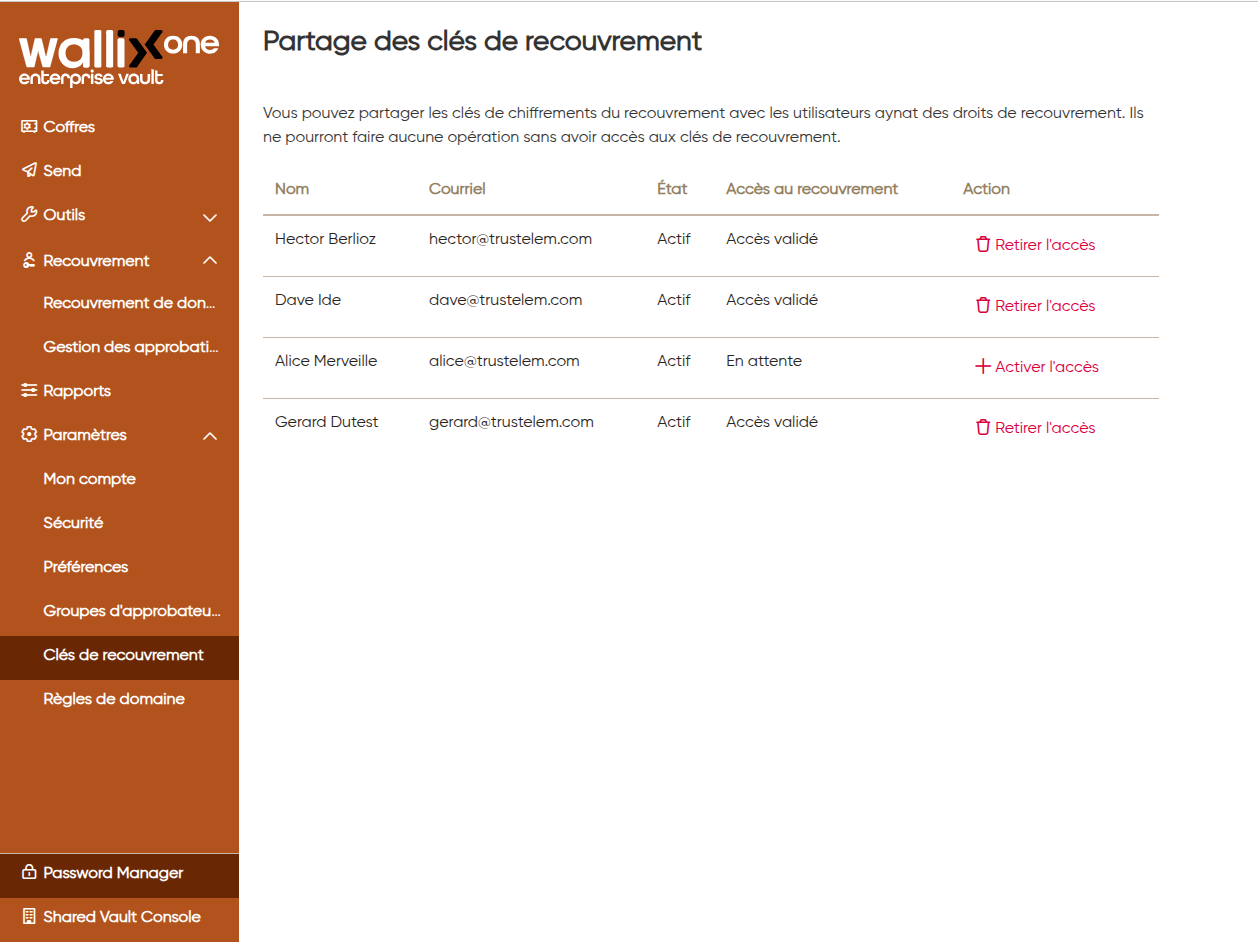
The recovery key is shared from a dedicated page in the vault, by an administrator who already has access to it:
- Go to your Enterprise Vault user app with an admin who has the recovery key.
- Go to Settings, then Recovery keys.
- Click Activate access for the new admins.