
Login Items
You can use a Login Item to store information about an account that requires a login, for example an email account, a CRM account or a social media account.
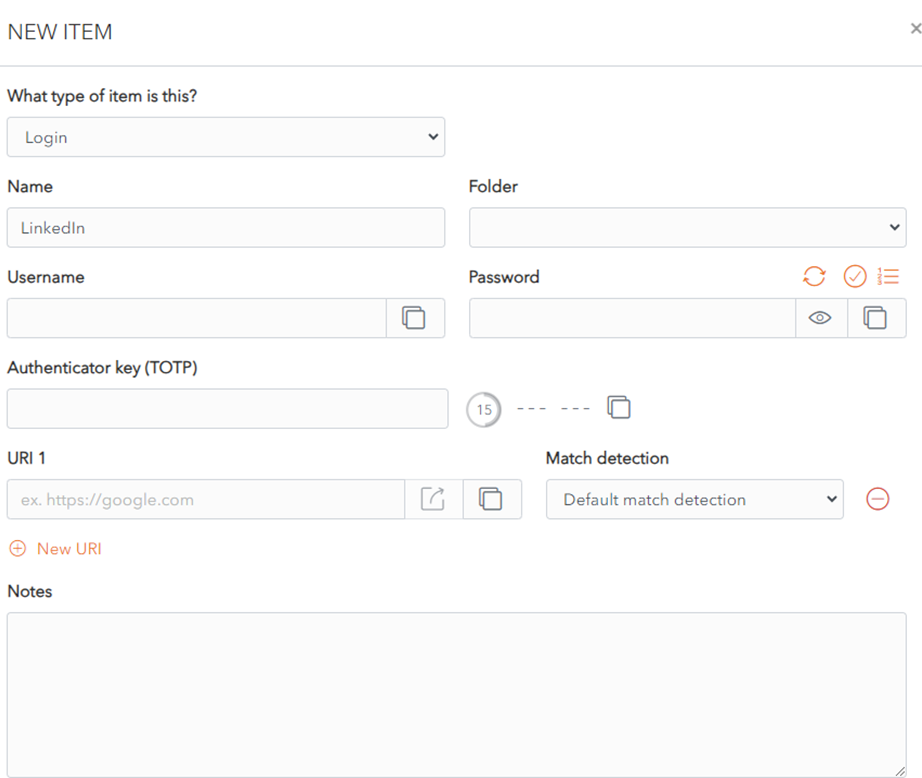
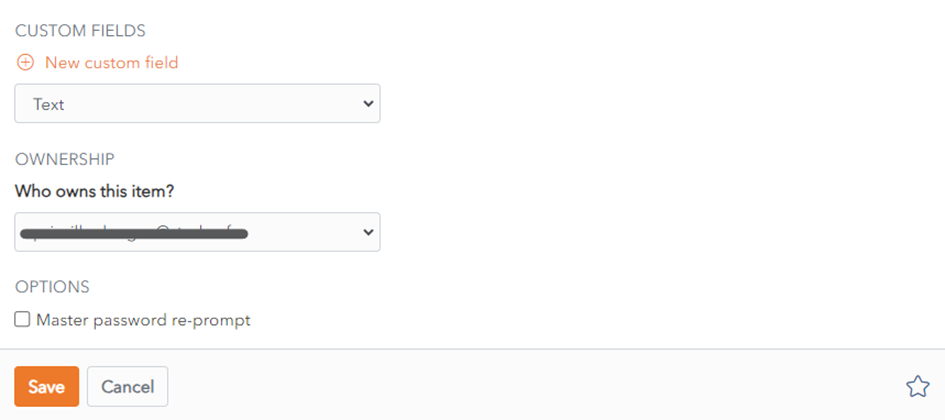
The following fields are available. Only the name field is mandatory.
- Type
- Name
- Folder
- Username
- Password
- Authenticator key (TOTP)
accountaccount).[DP1]). - URI 1
- You can add extra URIs using the
 button.
 - You can click on the
 button to open the URI in a new browser window to easily confirm the correct URI.
 - You can also
usechoose from different options in the Match Detection dropdown toXXXmatch the URI to an existing URI.
- You can add extra URIs using the

Notes
- Notes: You can add notes about this login.
- Custom
Fields :Fields: You can add one ore more custom fields. More on custom fields (link). - Master Password re-prompt
checkbox.checkbox: Check this to be prompted to enter your Master Password to access this login. - Ownership
dropdown :dropdown: Choose which Vault owns this item. By default it is owned by your Vault unless you choose otherwise.
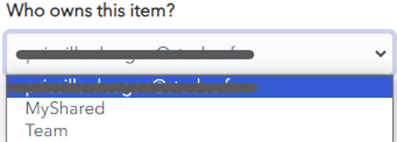
- Click the
 favourites button to add this item to your favourites.
